Food Truck Business Spreadsheet, Food Cost & Menu Pricing Calculator (Excel, Google Sheets)
This food truck business spreadsheet shows your food cost on every menu item, which spots make the most money and what you really make per hour. It also tells you what to prep and buy for your next event. Built for food trucks, trailers, carts and market stalls. Works in Excel and Google Sheets.
Who it is for: food trucks, trailers, carts and market stalls that want their food cost on every menu item, their best spots and their real pay per hour.
What it does
- Ingredients: enter the pack price once and get the cost per gram, ml or each.
- Menu Recipes: one portion of each item in any unit (oz, lb, g, kg, cups, tbsp, tsp, fl oz, gal or each). Cups and spoons of solids convert with "1 cup weighs".
- Menu: plate cost + packaging, food cost %, profit per item, the price at your target food cost and a price check.
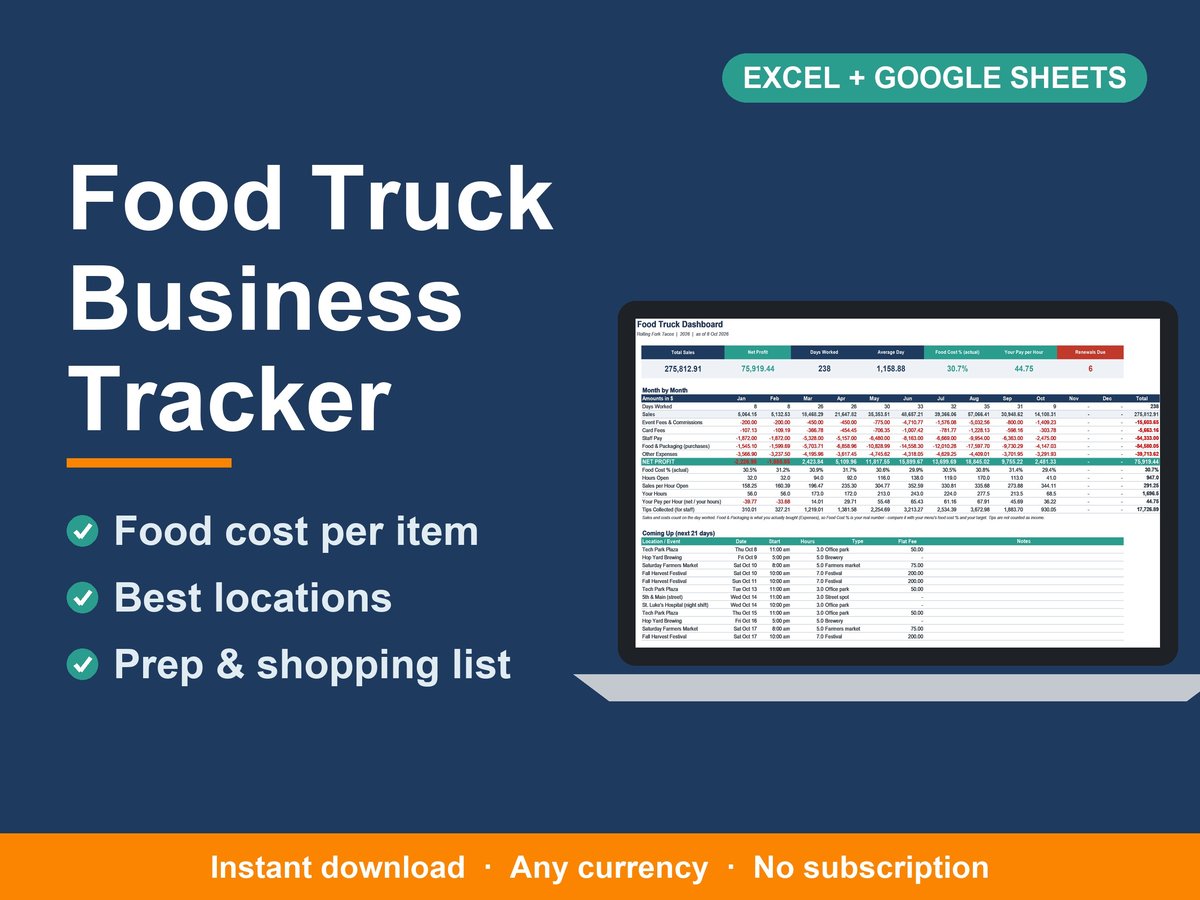
- Service Days: Booked, Worked, Cancelled or Rained out. Each day shows cash, card, catering, tips, event fees and commission, card fees, staff pay, estimated food cost, profit, sales per hour and average ticket.
- Locations: flat fee and/or % commission for every street spot, brewery, market, festival and catering client, with average sales and profit per day.
- Prep & Shop: the portions you plan to sell at your next event become a prep list and a shopping list, minus what you have on hand.
- Renewals: permits, health inspections, insurance and truck maintenance, with the next due date and a warning before it comes up.
- Dashboard: sales, net profit, days worked, average day, your ACTUAL food cost % (from what you bought), your pay per hour and renewals due. Also month by month, the next 21 days, best locations, menu check and most profitable items.
What's included
- 1 spreadsheet (.xlsx) with 12 tabs: Start Here, Dashboard, Service Days, Locations, Menu, Menu Recipes, Ingredients, Prep & Shop, Renewals, Expenses, Settings, Lists
- Quick-Start Guide (PDF)
- A sample taco truck with 35 ingredients, 15 menu items, 10 locations and a year of service days, so you can see everything working before you add your own
Works with
- Microsoft Excel 2010 or newer (Windows and Mac), Excel for the web, and Google Sheets
- Any currency, US or metric units
- 150 ingredients, 100 menu items, 800 recipe lines, 100 locations, 2,000 service days, 1,500 expenses and 100 renewals per file
How it works
- Download the files instantly after purchase
- Add your ingredients, recipes and locations (about 30 minutes)
- Log each service day. Your food cost, best spots and pay per hour update by themselves.
Quick answers
- What food cost % should I aim for? You set your own target (the sample uses 30%). Items above it are flagged and the suggested price is shown.
- Does it handle event commission? Yes. Each location can have a flat fee, a % of sales, or both.
- Can I track catering? Yes. Catering sales have their own column and Private catering is a location type.
- Is there a monthly fee? No. It is a one-time purchase and an instant download, with no subscription. It works in Excel and Google Sheets, in any currency.
Please note
- This is a digital download. No physical item will be shipped.
- This template helps with record keeping and pricing. It is not tax, legal, food safety or accounting advice. Check with your local health department and permit office.
- For use in your own business. Please don't resell or share the file.
- Designed by me with the help of AI tools. Every formula was tested in Microsoft Excel and Google Sheets.
Questions? Send me a message. I'm happy to help you get set up.


Questions people ask
Does it work out my food cost?
Yes. Enter pack prices and one portion of each menu item in any unit. You get the plate cost, food cost %, profit and the price at your target food cost.
Can I see which locations make the most?
Yes. Every service day records sales, event fees or commission, staff pay and profit, and the dashboard ranks your locations by average profit per day.
Does it tell me what to prep and buy?
Yes. Enter the portions you plan to sell at your next event and Prep & Shop turns them into a prep list and a shopping list.
Does it work in Excel and Google Sheets?
Yes. It works in Microsoft Excel 2010 or newer (Windows and Mac), Excel for the web and Google Sheets.
Is there a monthly fee?
No. It is a one-time purchase and an instant digital download. There is no subscription.
Does it work in my currency?
Yes. It works with any currency.
What if I find an error?
Message us on Etsy. You can choose another spreadsheet from our shop, free of charge (any except our Pro editions), and we will fix the error for everyone.
Get the Food Truck Business Tracker on Etsy